
Showing posts with label Business. Show all posts

Friday, 23 September 2016

How To Create Free Business Email

Guide To Create Free Business Email

Last year Google shut down their free sign-up on Google apps (A service for creating domain specific business email addresses). And now you need to pay for every user account on Google apps. For some who still want just a free domain specific email options, there are still a couple of option such as using cPanel to create free Email account or use your domain provider or Zoho mail.
mail-logo 
Image result for Zoho Mail

Zoho Mail is a free domain email address feature.
They also have a premium option (With additional features).
Image result for Zoho Mail

WHAT YOU WILL NEED
1* Smartphone or Computer, and
2* A Working Internet connection.
Step by Step Guide to Have a Free Business Email:
1*To signup get started by going to their free mail signup page here and enter your domain email address.
Image result for Zoho Mail
2*Click on Add domain and on next page, fill up the sign-up form. You can add any email address (For example here I added “info”), you can use anything else or your name . You can also add nine more email accounts in the free plan.
3*On the next page you will get confirmation for your sign up for free lite plan.
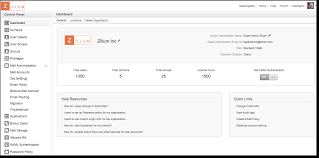

4*Click on “Proceed to verify domain ownership” 
There are three options for now “CNAME, TXT and HTML file upload“. HTML method is the simplest as you just need to download and upload a file to your root-server.
On a successful verification of your domain using any of the three methods, you will get a success message
5*Update MX record 
To enable your business email, is important to  update the MX record. 
Click on Change MX record to show you what MX record you need to use to enable it on your website. In this case simple login to your site hosting cPanel, click on MX entry under mail section and select domain name on the next page. Now all you need to do is to add the MX record shown on the Zoho domain email configuration page.
6*Go back to Zoho domain setup to finish the process . when done with the process you will be in your dashboard which you can access anytime here. Great solution Zoho offers  in their dashboard for business emails include: domain aliases, branding, spam filter and many more.
Image result for zoho mail cpanel


Before you leave, do me a favor and answer me this question:
What’s your opinion of Bitcoin
~Is it here to stay — permanently — or is it just another passing fad?
Leave your comment below  (Please! Don’t forget to use the social sharing buttons, either)!

Wednesday, 1 June 2016

HP's Spectre

HP's Spectre the world's slimmest laptop at 10.4 mm

HP says it had to rethink its approach to keeping things cool with the Spectre
HP says it had to rethink its approach to keeping things cool with the Spectre. 
Personal computers have come a long way since the hefty notebooks of the early 1980s. Today's laptops are shedding bulk almost as fast as your local CrossFit evangelist, and the latest effort from Hewlett-Packard is set to undercut them all. Its newly announced HP Spectre will enter the market as the world's thinnest laptop, and it is packing some punch within its very slight frame, as well.
The 13-inch HP Spectre measures just 10.4 mm (0.41 in) thick, making it a trimmer computing option than other slender machines like Lenovo's latest Yoga 2-in-1 (14.9 mm), the ASUS Zenbook UX305FA (12.3 mm) and yes, even the newest Macbook at 13.1 mm.
If it wasn't evident through HP's promo materials where the words "craftsmanship" and "artisan" feature more than once, the company's newest laptop is very much billed as a refined, even opulent slice of personal computing.
The Spectre is built from carbon fiber and aluminum with a black and copper color scheme. The full HD IPS display is shielded by edge-to-edge Gorilla Glass and rests on piston-driven hinges, with dual Bang and Olufsen speakers flanking the backlit keyboard and glass trackpad.
Rather than the Intel Core M processors commonly found in the new breed of ultralight devices like last year's Macbook, HP has managed to squeeze Intel Core i5 or i7 processor into the Spectre's 2.45 lb (1,111 g) body. Partnered with up to 8 GB of memory and up to 512 GB of storage, this should offer pro-level users a little more processing grunt.
To keep these internal mechanics running smoothly, HP says it had to rethink its approach to keeping things cool. With what it calls hyperbaric cooling technology, HP says that the Spectre pulls cold air inside instead of simply venting heat out, which combines with dynamic power settings to keep the processor performing at a high level.
When it comes to plugging in, HP is leaping aboard the USB Type C train with three ports, all of which support charging, data transfer and external displays, while two support Thunderbolt at speeds of up to 40 gb/s. Battery life is rated at nine hours.
The Spectre will be priced at US$1,170.


Before you leave, do me a favor and answer me this question:
What’s your opinion of Bitcoin
~Is it here to stay — permanently — or is it just another passing fad?

Leave your comment below  (Please! Don’t forget to use the social sharing buttons, either)!